🚀 Using CPLEX on IDUN (NTNU HPC)
IBM ILOG CPLEX is a powerful optimization solver widely used in energy systems, operations research, and large-scale optimization problems.
On NTNU’s HPC cluster IDUN, there are two main ways to install and use CPLEX:
- ✅ EasyBuild installation (recommended)
- ⚙️ Manual installation
This guide is based on practical experience and internal instructions from NTNU HPC support.
📦 Before You Start
Before installing CPLEX:
- Accept the IBM academic license
- Download the Linux installer:
👉 https://academic.ibm.com/a2mt/downloads/data_science#/
Download:
1 | cplex_studio2211.linux_x86_64.bin |
🌐 Download Interface
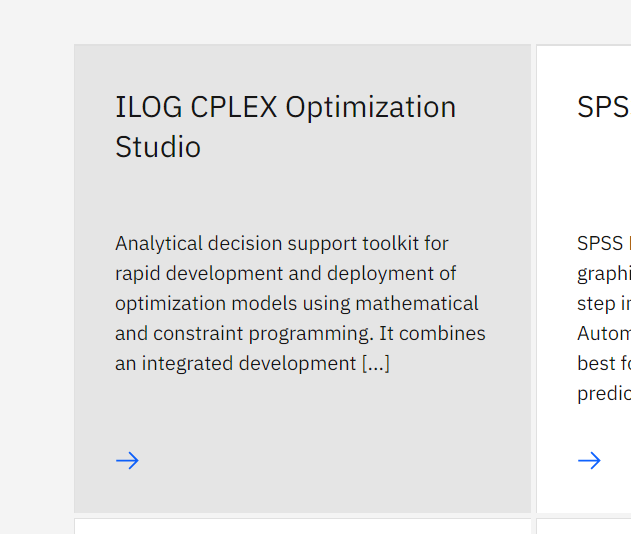
- Find IBM ILOG CPLEX Optimization Studio
- Select Linux version
- Download the
.bininstaller

Upload the file to your home directory on IDUN.
⚡ Method 1: EasyBuild Installation (Recommended)
This is the cleanest and most stable method on IDUN.
1. Load EasyBuild
1 | module purge |
2. Check available versions
1 | eb -S cplex |
Example output:
- CPLEX-12.9
- CPLEX-12.10
- CPLEX-22.1.1
3. Prepare source directory
1 | mkdir -p $HOME/.local/easybuild/sources |
4. Dry run (optional)
1 | eb -D CPLEX-22.1.1.eb --robot |
5. Install CPLEX
1 | eb CPLEX-22.1.1.eb --robot |
⏱️ Installation takes ~2–3 minutes
6. Clean environment
1 | module purge |
▶️ Using CPLEX
Add module path (important)
Add this to your .bashrc:
1 | export MODULEPATH=$MODULEPATH:$HOME/.local/easybuild/modules/all |
Load CPLEX
1 | module spider cplex |
Start CPLEX
1 | cplex |
Exit:
1 | quit |
Optional: Use with Julia
1 | module load Julia/1.9.3-linux-x86_64 |
⚙️ Method 2: Manual Installation
Use this only if you need custom setup.
1. Make installer executable
1 | chmod +x cplex_studioXXX.linux-x86-64.bin |
or:
1 | sh cplex_studioXXX.linux-x86-64.bin |
2. Run installer
1 | ./cplex_studioXXX.linux-x86-64.bin |
3. Installation directory
Use absolute path:
1 | /cluster/home/<your_username>/opt/ibm/ILOG/CPLEX_Studio2211 |
4. Install Python API
1 | cd opt/ibm/ILOG/CPLEX_Studio2211/python |
Optional (Conda):
1 | export PYTHONPATH="/home/<your_username>/.conda/envs/my_env/lib/python3.8/site-packages:$PYTHONPATH" |
5. Pyomo Solver Fix
If standard solver fails:
1 | opt = SolverFactory('cplex_direct') |
💡 Notes & Tips
- EasyBuild integrates cleanly with IDUN modules
- Avoid using relative paths for installation
- Always use absolute paths on HPC systems
- Prefer module-based workflows
📚 Available Versions
1 | eb -S cplex |
Available:
- CPLEX-12.9
- CPLEX-12.10
- CPLEX-22.1.1
📚 Additional Resources
EasyBuild CPLEX documentation:
https://docs.easybuild.io/version-specific/supported-software/c/CPLEX/NTNU HPC (IDUN):
https://www.hpc.ntnu.no/MIMES support:
https://www.ntnu.edu/adm/it/mimes-bronn
🧠 Final Thoughts
For most research workflows (Pyomo, Julia, stochastic optimization), EasyBuild is strongly recommended.
Manual installation should only be used when customization is required.
👨💻 Acknowledgement
This guide is adapted from internal NTNU HPC instructions and shared notes from colleagues.
Special Thanks to Nora, Sina and Anders Gytri’s help on the IDUN documentation support.
–Powered by automatic agent: OpenAI